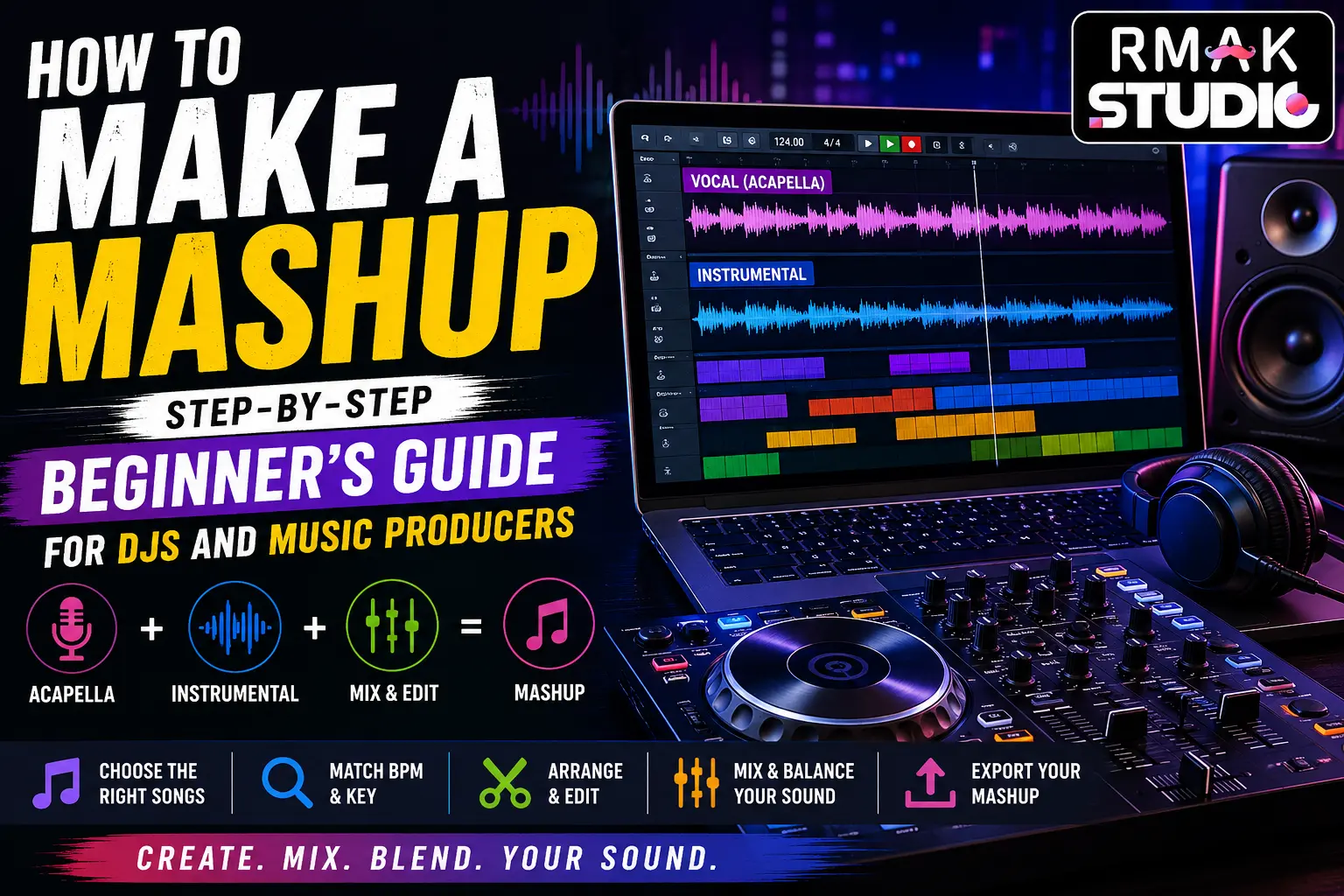
If you’ve ever listened to a track that seamlessly blends the vocals of one song with the instrumental of another and wondered how it was created, you’re not alone. How to make a mashup is one of the most common questions asked by aspiring DJs, music producers, and electronic music enthusiasts.
Mashups have become a popular way to showcase creativity, experiment with different musical styles, and develop essential DJ and music production skills. Whether you’re interested in creating content for social media, performing live DJ sets, or building a career in music production, learning how to make a mashup is an excellent place to start.
The good news is that you don’t need a professional studio or years of experience to create your first mashup. With the right software, a basic understanding of tempo and key, and some creativity, you can start producing mashups that sound professional and engaging.
In this beginner-friendly guide, we’ll walk through everything you need to know about mashup creation, from choosing the right songs to exporting your final track.
What Is a Mashup?
Before learning how to make a mashup, it’s important to understand what a mashup actually is.
A mashup is a music track created by combining elements from two or more songs into a single composition. Most mashups use:
- Vocals (acapella) from one song
- Instrumental from another song
The goal is to make both songs sound like they naturally belong together.
A well-produced mashup feels smooth, exciting, and original. A poorly produced mashup can sound out of sync, off-key, or chaotic. The difference usually comes down to song selection, beatmatching, key matching, and proper arrangement.
Why Learning How to Make a Mashup Is Important
Many successful DJs and music producers started by creating mashups.
Mashup production helps develop several important skills, including:
- Beatmatching
- Music arrangement
- Key matching
- Audio editing
- Creative mixing
- Song structure understanding
These skills are valuable whether you want to become a DJ, music producer, remix artist, or audio engineer.
Creating mashups also helps train your ears and teaches you how different songs interact with one another.
Basic Equipment and Software for Creating Mashups
One of the biggest misconceptions about mashup creation is that you need expensive equipment.
In reality, beginners can start with a relatively simple setup.
1. A Computer or Laptop
Most modern computers are powerful enough for mashup production.
You don’t need a high-end music production workstation when you’re starting out.
2. Good Headphones
A decent pair of headphones helps you hear details clearly while editing and mixing.
While studio monitors are helpful, headphones are perfectly fine for beginners.
3. Mashup Making Software
You’ll need software to arrange, edit, and mix your songs.
Popular options include:
FL Studio
One of the most beginner-friendly music production platforms.
Perfect for:
- Mashups
- Remixes
- Electronic music
- Beat production
Ableton Live
Widely used by professional DJs and producers.
Known for:
- Flexible arrangement tools
- Live performance features
- Excellent time-stretching capabilities
Serato DJ Pro
Popular among DJs for live mashup creation and performance.
rekordbox
Useful for:
- DJ preparation
- BPM analysis
- Key detection
- Playlist organization
Audacity
A free option suitable for simple edits and basic mashups.
Choosing the Right Songs for Your Mashup
Song selection is one of the most important parts of learning how to make a mashup.
Even professional producers spend significant time testing combinations before finding the right match.
Look for Similar Energy Levels
Songs with similar moods often work better together.
Examples:
- Dance vocal + dance instrumental
- Pop vocal + house instrumental
- Hip-hop vocal + trap instrumental
Less effective combinations:
- Slow emotional ballad + aggressive festival EDM
- Acoustic folk vocal + heavy techno beat
The goal is to create a natural blend.
Understanding BPM (Tempo)
BPM stands for Beats Per Minute.
Tempo determines the speed of a song.
Examples:
- House Music: 120–130 BPM
- Hip-Hop: 70–100 BPM
- Pop Music: 90–120 BPM
- Techno: 125–140 BPM
When creating a mashup, both tracks should have similar tempos.
For example:
- Song A: 124 BPM
- Song B: 126 BPM
These songs are much easier to combine than:
- Song A: 85 BPM
- Song B: 135 BPM
Most DJ and music production software can automatically detect BPM values.
Understanding Musical Key
Another essential part of how to make a mashup is key matching.
The key of a song refers to its musical scale.
Even if two songs have matching BPM, they can still sound unpleasant if they’re in conflicting keys.
Popular tools for key detection include:
- Mixed In Key
- rekordbox
- Serato
- FL Studio plugins
- Ableton Live analysis tools
Matching keys creates a more natural listening experience and helps vocals sit comfortably over instrumentals.
How to Make a Mashup Step by Step
Now let’s get into the actual production process.
Step 1: Import Your Songs
Open your preferred software and import:
- Vocal track (Acapella)
- Instrumental track
Place them on separate tracks inside your project.
Step 2: Match the BPM
This process is known as beatmatching.
Adjust one song’s tempo until both tracks share the same BPM.
Most modern software allows time stretching without affecting pitch.
This ensures:
- Drums stay aligned
- Vocals stay in sync
- Transitions sound smoother
Listen carefully.
If the songs drift apart over time, additional tempo adjustments may be required.
Step 3: Match the Key
Once the BPM matches, focus on musical compatibility.
If needed, transpose one track up or down.
Many producers use pitch shifting tools to achieve this.
Even small key adjustments can dramatically improve the overall sound.
Step 4: Find the Best Starting Point
Not every vocal starts perfectly at the beginning of the instrumental.
Experiment with different entry points.
Try:
- Starting vocals after the intro
- Bringing vocals in during the first drop
- Using the instrumental breakdown as a transition point
This stage often requires patience and creativity.
Step 5: Arrange the Song Structure
A professional mashup should feel like a complete song.
Common structure:
- Intro
- Verse
- Build-up
- Chorus
- Drop
- Breakdown
- Outro
Avoid random cuts and transitions.
Every section should flow naturally into the next.
Step 6: Clean Up the Audio
Once your arrangement is complete, begin basic mixing.
Focus on:
- Volume balancing
- EQ adjustments
- Vocal clarity
- Bass control
The vocal should remain understandable without overpowering the instrumental.
Many beginner mashups fail because vocals are either too loud or too quiet.
Step 7: Add Effects Carefully
Effects can enhance a mashup when used correctly.
Popular choices include:
- Reverb
- Delay
- Filters
- Risers
- White noise transitions
Use effects to support the track, not overwhelm it.
Too many effects can make a mashup sound messy and unprofessional.
Mashup Creation Skills vs DJ Performance Skills
| Skill | Mashup Production | DJ Performance |
|---|---|---|
| Beatmatching | Essential | Essential |
| Key Matching | Essential | Helpful |
| Song Selection | Important | Critical |
| Creativity | High | High |
| Mixing Skills | Important | Important |
| Audience Understanding | Helpful | Essential |
Learning mashup production strengthens many of the same skills required for successful DJ performances.
Advanced Mashup Techniques
Once you’ve mastered the basics of how to make a mashup, it’s time to take your productions to the next level. Professional DJs and music producers use advanced techniques to create mashups that feel seamless, energetic, and unique.
Layer Multiple Acapellas
Instead of using a single vocal track, experiment with combining vocals from multiple songs. This technique can create unexpected moments and add originality to your mashup music.
Create Custom Drops
Many successful DJ mashups feature custom drops rather than simply placing a vocal over an existing instrumental. You can build excitement by using risers, drum fills, effects, and vocal chops before the drop.
Use Vocal Chops
Cutting vocals into smaller pieces and rearranging them creatively can transform a simple mashup into a unique production. This technique is widely used in EDM, house music, and festival-style DJ mashups.
Add Your Own Drums
Sometimes two songs work together perfectly, but their drum patterns don’t. Adding your own kick, clap, hi-hat, or percussion elements can make the mashup sound tighter and more professional.
Automate Effects
Professional producers automate filters, reverb, delay, and volume changes throughout a track. This keeps the mashup dynamic and engaging from start to finish.
Common Mashup Mistakes Beginners Make
Learning how to make a mashup involves experimentation, but avoiding common mistakes can save you countless hours.
Ignoring Musical Key
Even when tempos match perfectly, incompatible keys can make a mashup sound unpleasant. Always check key compatibility before investing too much time into a project.
Choosing Songs That Don’t Fit Together
Not every popular song combination works. Focus on matching energy, mood, and structure rather than popularity.
Overusing Effects
Too much reverb, delay, or filtering can make your mashup sound cluttered. Use effects strategically to enhance important moments.
Poor Vocal Levels
Vocals should sit comfortably above the instrumental without overpowering it. Consistent volume balancing is essential.
Not Finishing Projects
Many beginners start dozens of mashups but finish very few. Completing projects teaches more than endlessly starting new ideas.
Pro Tips for Better Mashup Production
Build a Reference Playlist
Create a playlist of professional mashups that inspire you. Analyze how they structure transitions, drops, and vocal placements.
Learn Basic Music Theory
Understanding scales, keys, and chord progressions can dramatically improve your mashup production skills.
Practice Beatmatching by Ear
Software tools are helpful, but training your ears makes you a better DJ and producer.
Organize Your Music Library
A well-organized collection of acapellas, instrumentals, and stems makes the creative process much faster.
Focus on Song Selection
The best mashups often come from great song choices rather than complex editing techniques.
Learn How to Make a Mashup at RMAK Studio
If you’re serious about becoming a DJ or music producer, learning from professionals can significantly speed up your progress.
At RMAK Studio, we provide hands-on DJ and music production training designed for beginners and aspiring artists. Our courses focus on practical learning, allowing students to work with professional equipment and industry-standard software.
Students learn:
- How to make a mashup professionally
- Beatmatching techniques
- DJ mixing fundamentals
- Music production workflows
- Audio editing
- Song arrangement
- Mixing and mastering basics
- Performance preparation
Whether you’re searching for a DJ Course in Mohali, Music Production Training in Tricity, or a creative environment to develop your skills, RMAK Studio provides the guidance and resources needed to help you grow.
Students from Mohali, Chandigarh, Panchkula, Zirakpur, Kharar, and surrounding areas regularly join our training programs to learn DJing and music production from experienced mentors.
Continue Learning with These Related Guides
If you’re interested in improving your music production and recording knowledge, explore these related resources:
- Home Studio vs Professional Studio: Which One Produces Better Results?
- How to Choose the Right Recording Studio for Your Project
- Recording vs Mixing vs Mastering: Understanding the Difference
- Getting Ready for Your First Professional Recording Session
These guides can help musicians, DJs, producers, podcasters, and content creators achieve better sound quality and more professional results.
You Can Also Check Out Our :
- Courses Page
- About Our Studio
- Blogs Page
- Services Page
- Gallery Page
- Contact Page
Frequently Asked Questions About Making Mashups
1.What is a mashup?
A mashup is a song created by combining elements from two or more existing tracks, such as the vocals from one song and the instrumental from another. The goal is to make the songs blend naturally by matching their BPM (tempo), musical key, and structure. Mashups are popular in DJ performances, online mixes, and music production because they create fresh versions of familiar songs.
2.What is the best software for making a mashup?
Popular choices include FL Studio, Ableton Live, Serato DJ Pro, rekordbox, and Audacity. Beginners should choose one platform and learn it thoroughly.
3.Can I create a mashup on my phone?
Absolutely. Beginners can start creating simple mashups using mobile music production apps like FL Studio Mobile, BandLab, and GarageBand. While desktop software offers more advanced features, these apps are excellent for learning the fundamentals and experimenting with mashup ideas on the go.
4.How do professional DJs make mashups?
Professional DJs use beatmatching, key matching, creative arrangement, audio editing, and mixing techniques to blend songs seamlessly.
5.Do I need expensive equipment?
No. A laptop, headphones, and music production software are enough to start learning how to make a mashup.
6.Why do some mashups sound better than others?
The biggest factors are song selection, BPM matching, key compatibility, arrangement quality, and mixing techniques.
7.How Quickly Can Beginners Learn Mashup Production?
Most beginners can create a simple mashup within a few hours. Developing professional-level skills often takes months of practice.
8.Can mashup production help me become a better DJ?
Absolutely. Mashup creation improves beatmatching, timing, creativity, and song selection skills that are essential for DJ performances.
9.Should I learn music theory?
You don’t need advanced theory, but understanding keys, scales, and chords will help your mashups sound more professional.
10.Is making a mashup legal?
Mashups often use copyrighted material. While creating mashups for learning and personal use is common, commercial distribution may require licensing or permission from copyright holders.
11.Can I make a mashup without DJ experience?
Yes. Many successful producers started creating mashups before learning advanced DJ techniques. Basic knowledge of tempo, song structure, and editing is enough to begin.
12.Which software is best for making mashups?
The best software depends on your experience and workflow:
- FL Studio – Great for beginners and advanced producers with powerful audio editing tools.
- Ableton Live – Excellent for professional mashup production, warping, and live performance.
- Serato Studio – Designed for DJs who want to create mashups quickly.
- VirtualDJ – Ideal for simple mashups and live DJ mixing.
- Audacity – A free option for basic audio editing, though it has fewer advanced features.
For beginners, FL Studio or Serato Studio are often the easiest places to start.
13.Can beginners make mashups?
Yes. Anyone can learn to make mashups with basic music production skills. Beginners should start by choosing two songs with similar BPM and compatible musical keys. Learning how to align beats, adjust tempo, and use EQ will help create smoother transitions. With regular practice and the right software, even first-time producers can create professional-sounding mashups.
14.Is mashup music legal?
Mashups usually use copyrighted recordings, so creating one for personal learning is generally different from distributing or monetizing it. If you want to upload, sell, or stream a mashup publicly, you typically need permission or licenses from the copyright owners of both the original recordings and the musical compositions. Copyright laws vary by country, so it’s important to check the rules that apply where you live.
15.What’s the difference between a remix and a mashup?
A mashup combines parts of two or more existing songs, such as using the vocals from one track with the instrumental from another. A remix reworks a single song by changing its arrangement, adding new instruments, altering the tempo, or creating a different style while keeping the original song as the foundation. In short, a mashup merges multiple songs, while a remix transforms one song into a new version.
Final Thoughts
Learning how to make a mashup is one of the most exciting ways to begin your journey into DJing and music production. It teaches valuable skills such as beatmatching, key matching, arrangement, mixing, and creative problem-solving.
Your first mashup doesn’t need to be perfect. Every project helps you develop better ears, stronger technical skills, and greater musical confidence.
Start with songs you enjoy, focus on matching tempo and key, and don’t be afraid to experiment. Over time, you’ll discover your own style and workflow.
Whether your goal is to perform as a DJ, produce original music, or simply create mashups for fun, consistency and practice will always be your biggest advantages.
Open your software, choose two songs, and start creating. Your next great mashup could be only a few clicks away.